

How to Check Your CDC Investor Account Balance Online in Pakistan
Check your CDC Investor Account Balance online in Pakistan with 7 easy steps. Learn how to log in, view shares, check cash balances, and download statements.

By News Desk · Verified Pakistan News Desk
Published · Updated · 8 min read
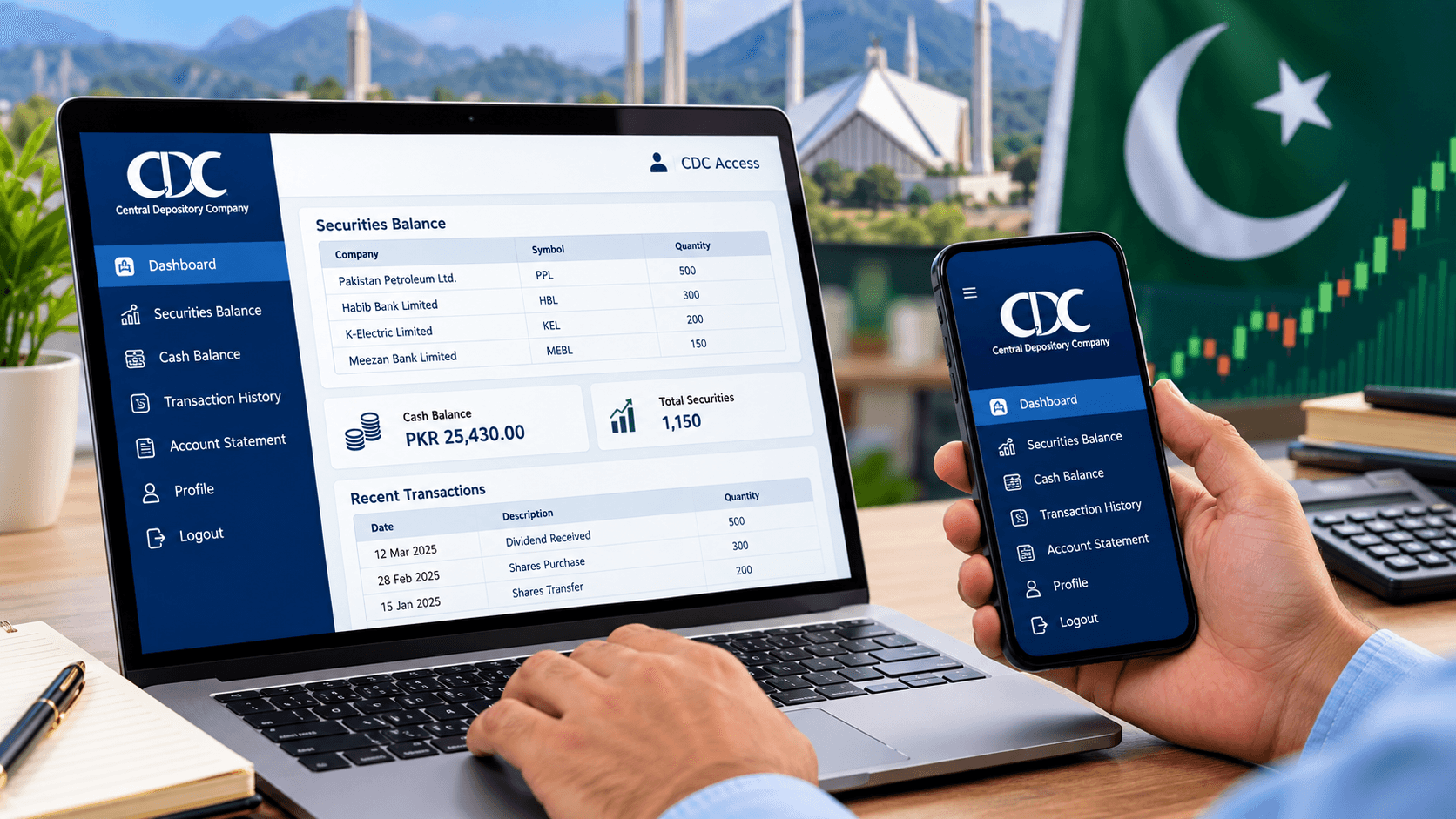
Checking your CDC Investor Account Balance online in Pakistan is easier than you might think. Whether you're a new investor or have been buying shares for years, keeping track of your investments is an important part of managing your money.
The Central Depository Company of Pakistan (CDC) provides digital services that allow investors to view their securities, account activity, and other investment details without visiting an office.
If you've recently purchased shares through the Pakistan Stock Exchange (PSX), you may want to confirm that your holdings are correctly recorded. Fortunately, CDC Access makes it possible to review your account information from your computer or smartphone.
Here's a simple, step-by-step guide to checking your account balance, viewing your shares, and accessing your investment records.
What Is a CDC Investor Account?
A CDC Investor Account is an account maintained directly with the Central Depository Company of Pakistan. It allows investors to hold securities electronically rather than relying on physical share certificates.
CDC maintains these accounts through its Investor Account Services (IAS).
An investor account is different from a CDC sub-account maintained through a brokerage firm. While both can hold securities electronically, a CDC Investor Account is maintained directly with CDC and operates according to the account holder's instructions.
Investors can use CDC's digital services to review their holdings, check eligible cash balances, and monitor account activities.
How to Check Your CDC Investor Account Balance Online
You don't need to visit a CDC office every time you want to review your investment holdings.
Follow these seven steps to access your account through the official online portal.
Step 1: Visit the Official CDC Access Website
Open your preferred internet browser and visit:
https://cdcaccess.com.pk/
This is the official CDC Access portal, where registered users can log in to view their account information.
Before entering your personal details, check the website address carefully.
Avoid opening unfamiliar links received through WhatsApp messages, emails, or social media advertisements. Using the official website helps reduce the risk of entering your credentials on a fraudulent page.
Step 2: Enter Your Login Credentials
Once the CDC Access login page appears, enter your registered login ID and password.
Depending on your account type and registration history, your login ID may be your CNIC, UIN, or CDC Access Relationship ID.
Existing CDC eAccess users may be able to log in using their Relationship ID and password, while newly registered individual users can use their UIN and password.
Make sure you're entering the credentials associated with your registered account.
If you've forgotten your password, use the Forgot Password option on the official login page and follow the available recovery instructions.
Step 3: Complete the Login Process
After entering your credentials, select the login option.
If the system requests additional identity verification, follow the instructions displayed on the official portal.
You may need access to your registered mobile number or email address, depending on the verification process applicable to your account.
Never share your password, verification code, or other confidential login information with anyone claiming to represent CDC.
Once your login is successful, you'll be able to access the services available for your account.
Step 4: Open Your Account Dashboard
After signing in, look for the dashboard or account overview section.
CDC Access provides a consolidated dashboard designed to help investors review their account information.
If you have access to more than one account, make sure you've selected the correct account before reviewing its balance.
The information displayed may vary according to your account type and the services enabled for your profile.
Take a moment to check that you're viewing the correct account and registered account details.
Step 5: Check Your Shares and Securities Balance
To check your CDC Investor Account Balance, open the Balance section or the relevant portfolio view.
You should be able to review information about the securities recorded in your selected account.
Depending on the available account view, you may find details such as company names, security symbols, and quantities of shares held.
Remember that the number of shares in your account is not the same as their current market value.
Share prices can rise or fall during trading hours. If you want to calculate the market value of your portfolio, compare your holdings with the relevant market prices.
Also, remember that shares held in a separate brokerage sub-account may not appear as holdings in your directly maintained CDC Investor Account.
Step 6: Review Your Cash Balance and Account Activity
If your account includes an eligible cash balance facility, look for the relevant cash balance information.
You can also explore the Activities section to review available transaction records.
Checking these details can help you identify securities received, transferred, or otherwise moved through your account.
Compare the information with your brokerage trade confirmations and previous account statements.
If you've recently purchased shares, remember that trade execution and the settlement of securities are separate processes.
A completed trade may not immediately appear as a settled holding in your CDC account.
If a transaction remains missing after its expected settlement, contact your broker or CDC for clarification.
Step 7: Download or Save Your Account Statement
After checking your balance, look for the available account statement or reporting option.
Select the relevant account and reporting period if these options are provided.
Download or save the statement using the formats available on the portal.
Keeping a copy of your account statement can help you track investment activity, review your holdings, and identify possible discrepancies.
Store downloaded statements securely because they may contain confidential financial and personal information.
For security, always log out of your CDC account after completing your review, especially when using a shared computer.
How to Check Your CDC Investor Account Balance Using a Mobile Phone
Don't have access to a computer? You can also use the CDC Access Mobile Application.
The official application is available for Android devices through Google Play.
Search for CDC Access Mobile Application and verify that CDC Pakistan is listed as the developer before installing it.
If you're already registered on CDC Access or the eServices portal, you can use your existing login credentials to access the mobile application.
Once logged in, open the dashboard and navigate to the relevant CDS portfolio or account information section.
The mobile application provides convenient access to investment information, including portfolio details and other available CDC services.
For investors who regularly monitor their holdings, the mobile application offers a practical alternative to logging in through a desktop browser.
What to Do If Your CDC Account Balance Is Incorrect
Sometimes, the balance displayed in your account may not match your personal investment records.
Before raising a complaint, check whether the relevant transaction has been settled and whether you're viewing the correct account.
Compare your CDC holdings with your brokerage statements and trade confirmations.
If the difference remains unexplained, contact your brokerage firm or CDC Investor Account Services, depending on where your securities are held.
You can contact CDC through its official helpline at 0800-23275.
Avoid sharing your account password or verification codes when requesting assistance.
Frequently Asked Questions
Can I check my CDC account balance using my CNIC?
Your CNIC may be used as a login identifier for certain CDC Access accounts. However, you'll still need the appropriate registered credentials to access your account securely.
Is CDC Access available outside Pakistan?
CDC Access is an online service, so overseas investors may be able to access their registered accounts through the portal or mobile application, subject to applicable access and verification requirements.
Can I check my CDC account balance without a broker?
Yes. If you maintain a CDC Investor Account directly with CDC, you can use the available CDC Access services to review your account information without requesting a balance statement from your broker.
Does my CDC balance show my investment profit?
Your securities balance generally identifies the holdings recorded in your account. To calculate your investment profit or loss, you'll also need your purchase costs, applicable charges, and relevant market prices.
Final Thoughts
Checking your CDC Investor Account Balance online is a simple way to stay informed about your investments in Pakistan.
By using the official CDC Access portal or mobile application, you can review your securities, monitor available account activity, and access important investment records.
Make it a habit to check your holdings regularly, compare them with your brokerage statements, and report unexplained differences promptly.
Most importantly, protect your login credentials and use only official CDC services when accessing your financial information.
OFFICIAL SOURCES AND FACT-CHECKING LINKS:
1. CDC Access Official Portal: https://cdcaccess.com.pk/
2. Pakistan Stock Exchange – Open an Account and Invest: https://www.psx.com.pk/psx/resources-and-tools/investors/open-an-account-invest
3. Pakistan Stock Exchange – Investor Awareness Guide: https://www.psx.com.pk/psx/resources-and-tools/investors/investor-awareness-guide
4. CDC Access Mobile Application: https://play.google.com/store/apps/details?id=com.cdcaccess.csp
What happens next for business
We will keep this page updated as the story develops rather than publishing a near-duplicate at a new address. Follow Business for related coverage.
Get the Verified Brief
One email each morning with the stories we checked overnight.
Spotted an error? Read our corrections policy and tell the newsroom.