
WhatsApp Events: Invite Anyone, Even Without the App
WhatsApp Events has a new trick: you can now invite people who do not have WhatsApp at all, and they can reply from a simple link.

By News Desk · Verified Pakistan News Desk
Published · Updated · 4 min read
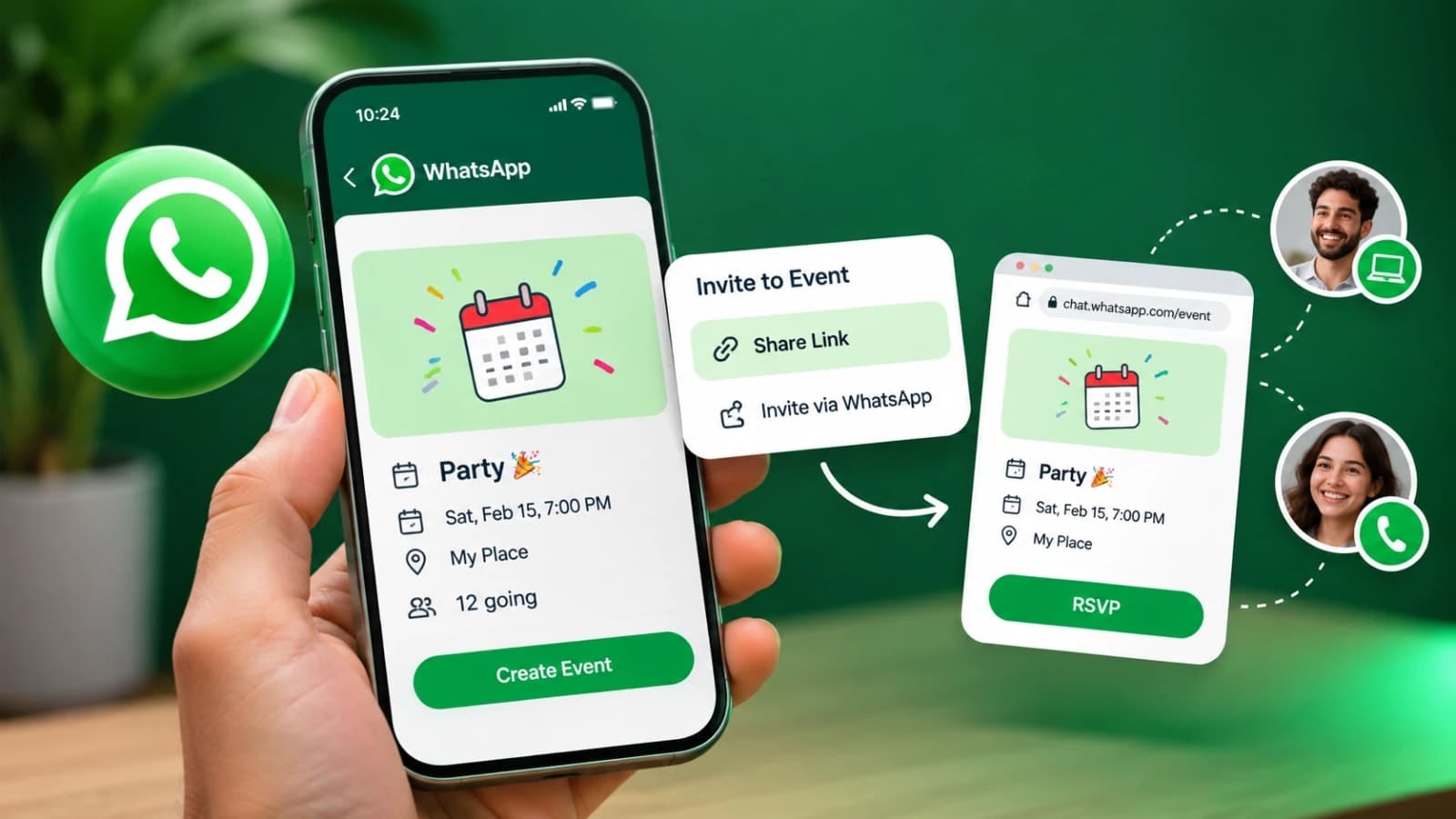
WhatsApp Events can now reach people who do not use WhatsApp at all, after Meta announced a major update to its event planning tool on 5 November.
Guests can open an invitation link in their browser, read the event details and confirm whether they are coming, all without installing the app or creating an account.
For anyone who has ever planned a birthday, a family dawat or an office gathering in a group chat, the problem is familiar. There is always one guest who is simply not on WhatsApp.
WhatsApp Events: what has changed
The update adds a dedicated Events Home inside the app. You can find it in Settings, where every event you have created or been invited to now sits in one place.
From Events Home, you can create an invitation, add a cover photo, customise the details and track who has replied.
Hosts can also send custom reminders to guests. Guests can be allowed to bring a plus one, which the host can see in the replies.
The bigger change is who can receive the invitation. WhatsApp Events invitations can now travel outside the app through a shareable link or a QR code.
It is the second feature in a few weeks built for people outside WhatsApp. In October, Meta opened WhatsApp calls to guests without accounts through links as well.
Party planners and small businesses are the obvious winners from the new WhatsApp Events, because their guest lists are never fully on one app.
How to invite someone who has no WhatsApp
Create your event in WhatsApp Events as usual. Add the name, date, time and place, and a cover photo if you like.
Then share the invitation link with your guest on any channel you want: SMS, email or another messaging app.
The guest opens the link in a browser. They see the event details and simply choose Going, Maybe or Not going.
To reply, the guest enters a name and a mobile number. No WhatsApp account and no app download are needed.
Their reply lands back with the host, so the full guest list stays in one place instead of scattered screenshots and phone calls.
Privacy points worth knowing
Meta says your phone number is not shown to guests you do not know, which matters when an invitation travels widely.
Guests without WhatsApp also see the event address only after they confirm that they are coming.
Your normal chats and calls stay end-to-end encrypted, as before. The invitation link carries only the event information you chose to share.
Even so, treat an event link like any public link. Share it with the people you actually want to invite, not in open groups where anyone can pass it on.
One more trick: smart text actions
WhatsApp is also rolling out message text actions on Android and iOS, according to reports this week.
The app now recognises phone numbers, dates, email addresses and locations inside your chats. Tap one, and you get shortcuts to call the number, save the contact, create a calendar event or open the address in maps.
According to WABetaInfo, these actions are generated on the device itself rather than on WhatsApp servers, so end-to-end encryption is not affected.
Together with the WhatsApp Events update, the direction is clear. WhatsApp wants to handle the planning around your conversations, not just the chatting.
WhatsApp Events: common questions
How do I create an event in WhatsApp Events? Open Settings and go to Events Home. Create the event with its details and a cover photo, then share the invitation from there or from your chats.
Can I invite someone who does not have WhatsApp? Yes. Send them the WhatsApp Events invitation link. They can view the details and RSVP in a browser with just a name and a mobile number.
Where is Events Home in the app? It sits inside Settings. It lists every event you have created or been invited to, both past and upcoming, in one place.
Why can I not see the new WhatsApp Events features yet? Meta said the updated experience is rolling out to everyone over the following weeks. Availability varies by account, so keep the app updated and check again in a few days.
Does the guest need to pay or sign up for anything? No. Viewing an invitation and replying to it are free, and neither needs a WhatsApp account.
For families and small businesses in Pakistan, WhatsApp Events removes the most annoying step in planning anything: chasing the one guest who is never on the app.
What happens next for tech
We will keep this page updated as the story develops rather than publishing a near-duplicate at a new address. Follow Tech for related coverage.
Get the Verified Brief
One email each morning with the stories we checked overnight.
Spotted an error? Read our corrections policy and tell the newsroom.