
NADRA CNIC Tracking ID Check Online – Complete Guide 2026
NADRA CNIC Tracking ID check online is easy with PakID. Follow this 2026 guide to track your CNIC application status and solve common tracking issues. ·

By News Desk · Verified Pakistan News Desk
Published · 9 min read
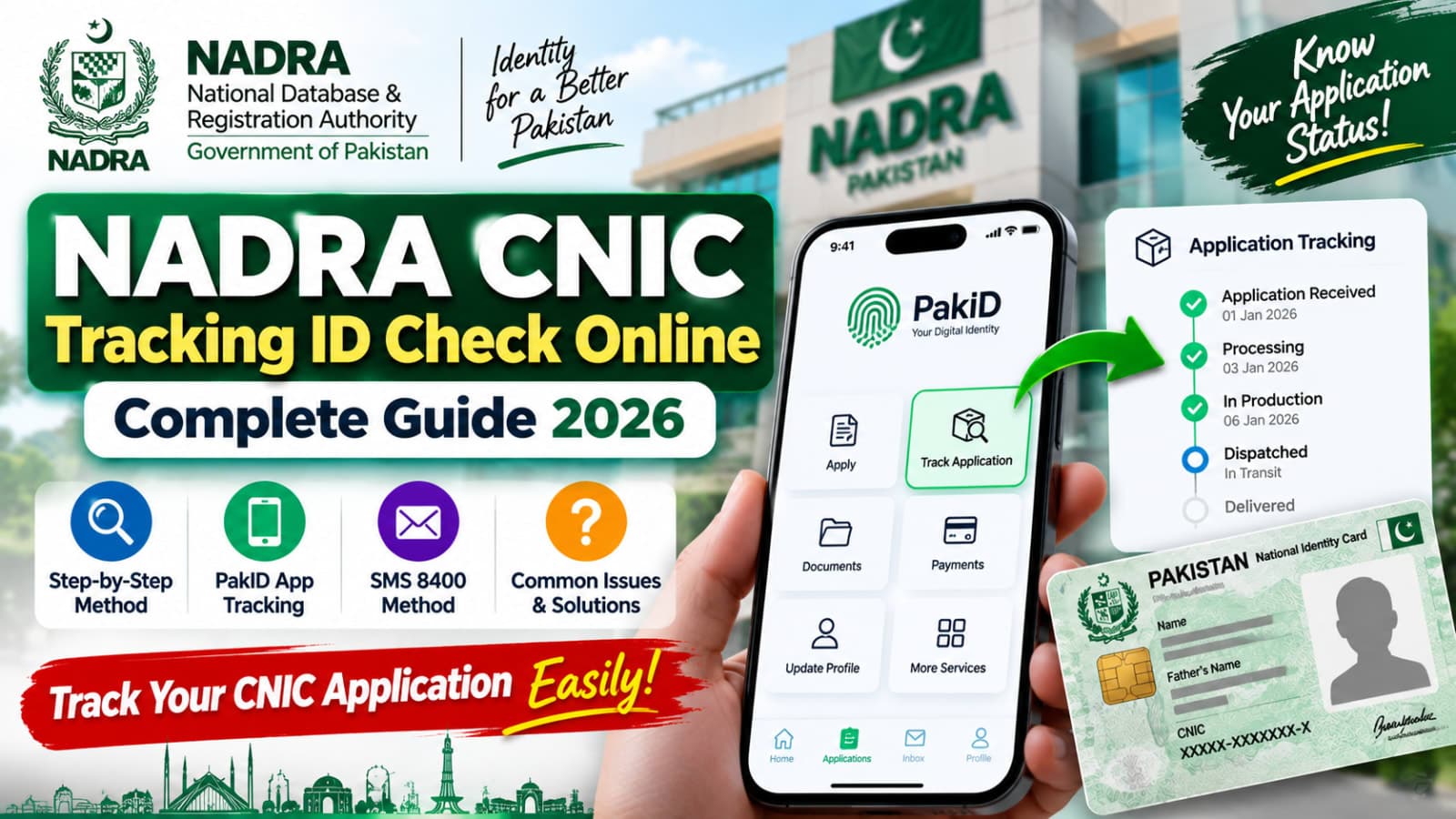
Waiting for your new or renewed identity card can feel frustrating when you don't know what's happening with your application. Fortunately, NADRA CNIC Tracking ID Check Online makes it possible to follow the progress of an application without repeatedly visiting a NADRA Registration Centre.
In 2026, NADRA's PakID mobile application provides application tracking directly from your account. You can open the tracking section, view your application, and check its current progress.
This guide explains how to track a NADRA CNIC application, where to find your Tracking ID, how the PakID tracking system works, and what to do when your application isn't progressing as expected.
NADRA CNIC Tracking ID Check Online Through PakID
The official NADRA CNIC Tracking ID Check Online method is available through NADRA's PakID platform.
NADRA describes PakID as its official mobile identity platform. Among its core features is Application Tracking, which allows users to monitor their applications from the app dashboard.
To check your application:
Open the official PakID mobile app. Sign in to your PakID account. Go to the Applications section on the home screen. Select Tracking. Find the relevant application. Open it to check the available application status and progress.
If you cannot immediately find the Tracking option, NADRA's official application-tracking guide says you can use the search bar at the top of the application.
Official source: NADRA PakID Application Tracking Guide.
What Is a NADRA Tracking ID?
A NADRA Tracking ID is associated with your identity-document application and helps identify that particular application during different stages of the process.
Don't confuse your Tracking ID with your CNIC number.
Your CNIC is your national identity number, while the Tracking ID relates to an application submitted through NADRA's system.
For example, NADRA's official payment instructions tell PakID users to find the Tracking ID in their application inbox when making certain payments. This shows why keeping your Tracking ID available can be useful throughout the application process.
Where Can I Find My NADRA Tracking ID?
If you've submitted an application through PakID, sign in to the same account you used for the application.
Check your application or inbox area for the relevant application and its Tracking ID.
The exact screen may vary as NADRA updates the PakID app, so use the current options displayed in your account rather than relying on screenshots from old third-party websites.
Keep your Tracking ID private and only use it through official NADRA services or authorized payment channels.
How to Track CNIC Application in PakID App
The PakID app is now an important part of NADRA's digital identity services.
NADRA says the application supports identity-document applications, renewals or reprints, biometric verification, document uploads, payments, and application tracking.
For tracking:
PakID App → Applications → Tracking → Select Application
Once you've selected the relevant application, review the latest information displayed by NADRA.
This method can be useful for applications involving CNIC services available through PakID and other supported NADRA identity documents.
Can I Track NADRA CNIC Through SMS?
Yes, NADRA has also published an SMS short code for CNIC application tracking.
According to NADRA's official Services Charter, the short code:
8400
is designated as the CNIC application tracking SMS service.
This can be useful when you want to check application tracking information without relying solely on the app.
Because NADRA can update procedures and SMS formats, check the latest instructions provided with your application or on NADRA's official channels before sending application information.
PakID App vs SMS Tracking
There are two useful ways to approach NADRA application tracking.
The PakID app is the better choice when you have access to your account and want to see the application from your dashboard. NADRA specifically lists real-time application tracking among PakID's features.
The 8400 SMS service provides another CNIC application-tracking channel listed in NADRA's Services Charter.
For most users with a PakID application, checking the application directly inside PakID is a good place to start.
What Can You Track Through NADRA PakID?
PakID isn't limited to one simple CNIC tracking screen. It is NADRA's broader mobile platform for identity services.
According to NADRA, PakID supports services involving identity documents such as CNIC and NICOP, although the available application categories depend on the document and type of request.
For CNIC services, NADRA's current information includes PakID-supported processes such as renewal, modification, reprint/lost and updates of certain non-printable fields.
PakID also provides application tracking so applicants can monitor their submitted requests.
Can You Apply for a New CNIC Through PakID?
There is an important distinction here.
NADRA's current PakID FAQ states that CNIC services through PakID include renewal, modification, reprint/lost and updates of non-printable fields.
For a first-time CNIC, NADRA says the application can be initiated through a blood relative's account, but the applicant and blood relative need to visit a NADRA centre to complete the remaining steps.
So, don't assume that every CNIC process can be completed entirely from home.
Why Is My NADRA CNIC Application Taking Time?
An identity-document application may go through different processing stages before completion.
The time required can depend on the type of application, information provided, required verification, documents, biometrics and other processing requirements.
If your application appears to be taking longer than expected, first check the latest status in your PakID account.
Also make sure there isn't a pending action requiring your attention.
For example, a payment, document requirement, biometric step or other application-related action may need to be completed before the process can move forward.
Avoid relying on unofficial websites that promise to speed up a NADRA application in exchange for personal information or money.
NADRA Tracking ID Not Working – What Should You Do?
If your Tracking ID or application isn't showing the expected information, don't panic.
Start with a few basic checks.
Make sure you're logged into the correct PakID account. Check that you're looking at the right application and confirm that the application was successfully submitted.
You can also reopen the Applications → Tracking section and check again.
If the problem continues, contact NADRA through its official support channels.
How to Contact NADRA About CNIC Tracking Problems
If your application status isn't clear or you have a problem that can't be solved through PakID, NADRA provides official support channels.
As of 2026, NADRA lists:
Mobile helpline: 1777
Phone: +92 51 111 786 100
NADRA's contact page also provides online query and complaint options.
When contacting support about an application, keep the relevant application information available so the representative can understand your issue more easily.
Is NADRA CNIC Tracking Online Safe?
Using NADRA's official PakID platform is the safest approach.
Be careful with third-party websites claiming that they can reveal private CNIC records, family information or other sensitive data simply by entering a CNIC or phone number.
For application tracking, stick to NADRA's official services.
You should also avoid publicly posting screenshots containing your full CNIC number, Tracking ID, address, phone number or other personal information.
Can I Use the Tracking ID for NADRA Payment?
In some payment processes, yes.
NADRA's official payment guidelines specifically reference the PakID Tracking ID. For example, its Raast payment instructions tell users to log in to PakID, open the inbox and use the payment option next to the Tracking ID.
For e-Sahulat payments involving eligible services, NADRA also instructs applicants to provide their application Tracking ID to the franchise.
However, payment methods depend on the service you're applying for. Always follow the payment options displayed in your PakID application.
Frequently Asked Questions How can I check my NADRA CNIC Tracking ID online?
Open the official PakID mobile app, sign in to your account, go to Applications, and select Tracking. NADRA's official tracking guide identifies this as the application-tracking path in PakID.
What is the NADRA CNIC tracking code?
NADRA's Services Charter lists 8400 as the short code for its CNIC application tracking SMS service.
Is NADRA Tracking ID the same as CNIC number?
No. Your CNIC is your national identity number. A Tracking ID is associated with an application and is used in processes such as application tracking and certain payment steps.
Where can I find my NADRA application status?
If you applied through PakID, check the Applications → Tracking section of the PakID app. NADRA also says application status can be checked from the application inbox.
Can I track my CNIC without visiting a NADRA office?
Yes. PakID provides application tracking, and NADRA also lists 8400 as a CNIC application-tracking SMS service. However, some identity-document processes may still require a visit to a NADRA Registration Centre.
What should I do if my NADRA application is stuck?
First check the application inside PakID for pending actions or updated status information. If the issue remains unresolved, contact NADRA through the official helpline at 1777 or +92 51 111 786 100.
Can I track NICOP through PakID?
Yes. NADRA describes PakID as its official platform for identity-document services and specifically states that applicants can track their application status in the app.
Final Words
The NADRA CNIC Tracking ID Check Online process is much easier when you use NADRA's official channels. If you've submitted an application through PakID, open the app and go to Applications → Tracking to check its progress.
NADRA also lists 8400 as its CNIC application tracking SMS service.
Remember that your Tracking ID and CNIC number are not the same thing. Keep your application details secure, avoid unofficial CNIC-data websites, and contact NADRA directly if your application status remains unclear.
Disclaimer: This guide is for general informational purposes. NADRA may change its application procedures, app interface, tracking methods, fees, processing times or contact information. Always confirm important information through official NADRA channels.
What happens next for national
We will keep this page updated as the story develops rather than publishing a near-duplicate at a new address. Follow National for related coverage.
Get the Verified Brief
One email each morning with the stories we checked overnight.
Spotted an error? Read our corrections policy and tell the newsroom.